Proof, not promises.

Real systems, running now. Four of them run my own business every day — the same stack you’d get — and one is a client build. Each is labeled. See the builds ↓

Selected work

Five builds, redrawn with sample data.

Every screen is rebuilt from the real layout with placeholder data, so no client details leave the building. Each card says where it came from.

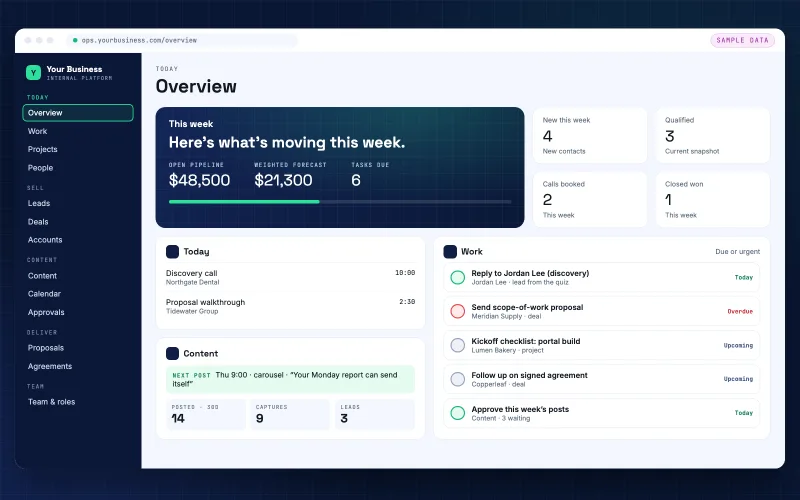
Operating system overview: this week's pipeline and forecast, today's meetings, the next post, and a work list of leads, deals and project tasks (sample data)

Build 01 · Business operating system

One system that runs the business.

  • Runs my business
  • Live
  • Leads, deals and tasks in one place, each task tied to the person or deal it came from
  • A drag-and-drop work board, with week and list views
  • Quiz leads arrive with the reply task already made
How it works
  • A deal turns into a project right from its page
  • Pipeline and weighted forecast in one view
  • Today’s follow-ups and overdue work surface on their own
  • Meetings with action items and a content calendar, in the same system

Result Everything in one place. What needs me surfaces on its own, instead of sitting in my inbox as a flagged email.

Replaces: a spreadsheet pipeline, a separate to-do app and follow-ups from memory

Related service: Operations
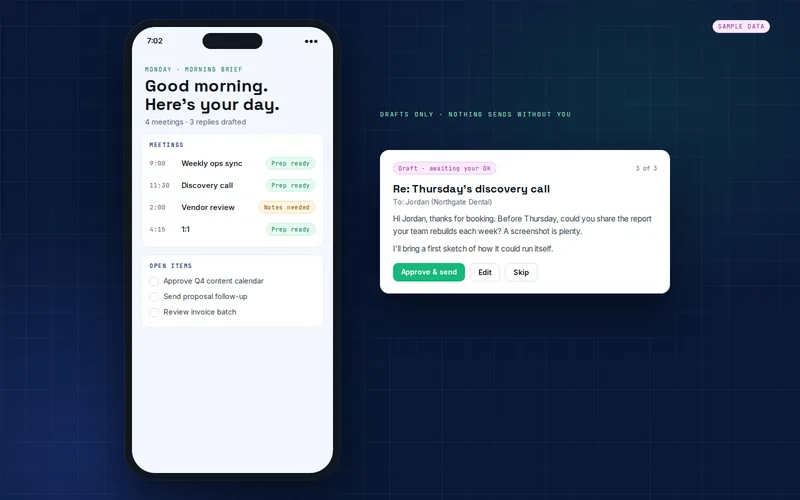
Executive assistant on a phone: the morning brief with meetings and prep status, beside a drafted reply waiting for approval (sample data)

Build 02 · AI executive assistant

It runs the admin. I make the calls.

  • Runs my business
  • Live
  • One morning brief across my calendars
  • Meeting prep and open items, ready to go
  • Drafts only. I approve what goes out
How it works
  • After a meeting: notes, decisions and action items, with follow-up emails drafted for my OK
  • Suggests a time-blocked day built around my open projects
  • An afternoon check-in and an end-of-day capture keep the list current

Result About 2 hours a day back. The brief, the prep, the notes and the follow-up drafts are done. Nothing goes out until I approve it.

Replaces: a morning spent piecing the day together from five places

Related service: AI Assistants
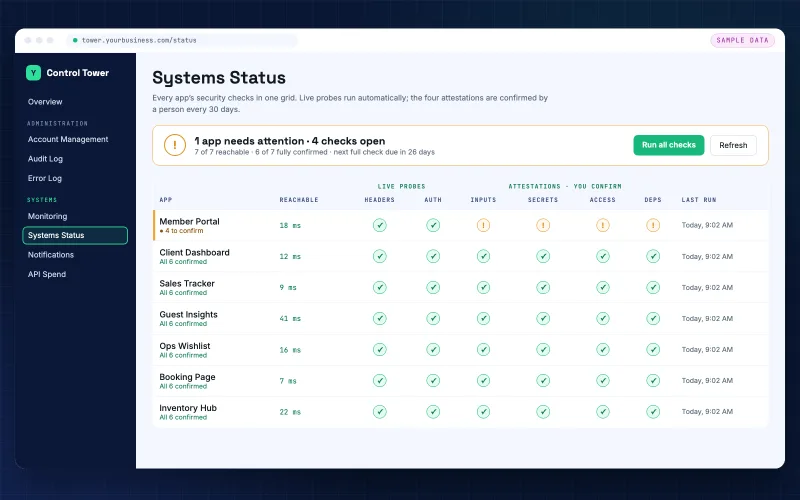
Systems status grid: every app with live header and login probes plus monthly sign-offs for inputs, secrets, access and dependencies, one app flagged for attention (sample data)

Build 03 · Security sweeps

Every app, swept and watched.

  • Runs my business
  • Live
  • Every app probed every 10 minutes: uptime, security headers, login protection
  • An attention list the moment something drifts
  • Nothing ships until the gate says pass
How it works
  • A documented security review on every deploy, PASS or BLOCK
  • Monthly sign-offs on secrets, access and dependencies, logged with who and when
  • A reminder when any sign-off is more than 30 days old

Result Every deploy gated; more blockers caught before launch than I can count.

Replaces: checking each app by hand and finding problems late

Related service: Build & Portals
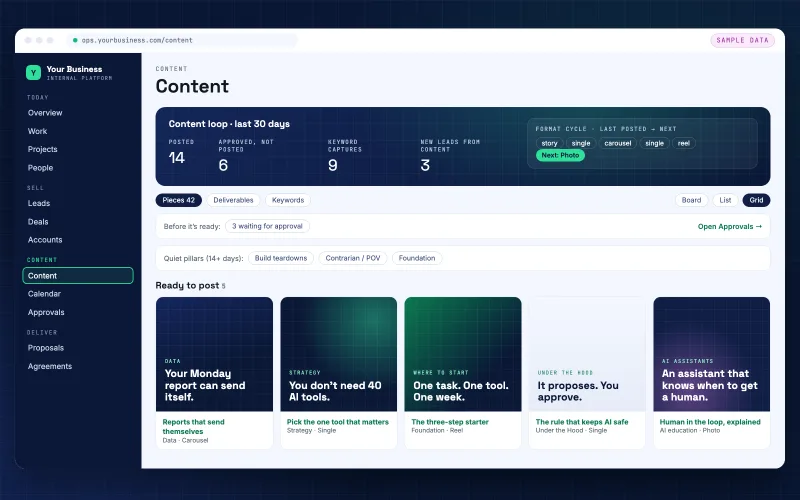
Content workspace: last 30 days posted and approved, the format cycle with the next format, quiet topics, and five posts ready to go (sample data)

Build 04 · AI content engine

The engine that drafts my feed.

  • Runs my business
  • Live
  • Fresh ideas scouted every weekday
  • Drafted in my voice, rendered on-brand
  • Nothing posts until I approve it
How it works
  • Plans the week’s mix and rotates formats: carousels, single images, photos, Reels
  • A content calendar and a log of everything that went live
  • Performance logged per post

Result Drafts daily; replaced 2–3 hours of drafting per post.

Replaces: blank-page mornings and posting when there was time

Related service: Growth & Marketing
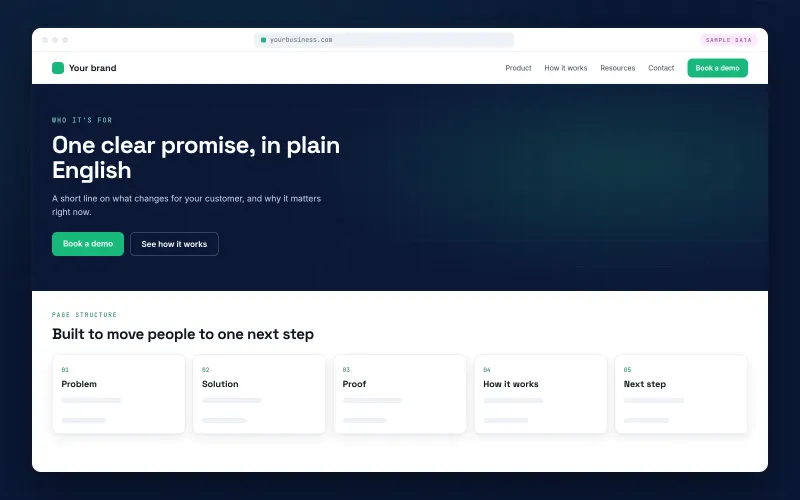
Landing page: one headline, one promise and a book-a-demo button (sample data)

Build 05 · Landing pages

Landing pages with one clear next step.

  • Client build
  • Live
  • One message, one call to action
  • Mobile-first and on-brand
  • Book-a-demo lands right on your calendar

Result A basic page can be live in about 48 hours, once scope and assets are in hand.

Replaces: a homepage trying to say everything at once

Related service: Growth & Marketing

Want one of these for your business?

Take the 90‑second discovery and you’ll see which build fits and where we’d start. No pitch.